
Best Automated Lead Magnet Tools for Bloggers and Creators
Most content businesses spend significant time and money attracting visitors, yet many lose those visitors without capturing an email address.
A reader may enjoy an article, watch half of a tutorial, or browse several product pages before leaving permanently.
The best automated lead magnet tools solve that gap by delivering useful value while collecting and routing new leads.
Depending on the platform, that value might be an AI-generated article summary, a quiz result, a discount, a calculator, or a personalized resource.
In this guide, we compare five leading options for bloggers, publishers, creators, marketers, and growing businesses.
We assess automation, capture formats, targeting, integrations, analytics, usability, and total pricing.
The goal is to help you find an automated lead magnet that matches your content format, traffic volume, funnel complexity, and budget.
The five platforms are QuickSum AI, Convertful, Heyflow, OptinMonster, and HubSpot Marketing Hub.
Each serves a different purpose, so the right choice depends less on which tool has the longest feature list and more on what should happen after a visitor opts in.
What Is the Best Automated Lead Magnet?
Here are our team's top picks for the best automated lead magnet:
| Tool | Best for | Primary lead-magnet approach | Key automation | Starting price |
|---|---|---|---|---|
| QuickSum AI | Best for content-derived lead magnets | AI article summaries and video guides | Automated delivery and CRM routing | $99/month or $797 lifetime early-bird pricing |
| Convertful | Best for multi-format opt-in campaigns | Pop-ups, forms, quizzes, and gamification | Behavioral targeting and widget flows | $9/month monthly or $7/month annually |
| Heyflow | Best for interactive lead qualification | Personalized forms and conversion flows | Conditional logic, AI blocks, and routing | $89/month monthly or $49/month annually |
| OptinMonster | Best for behavior-triggered website conversion | Pop-ups, floating bars, slide-ins, and content locking | Exit intent, testing, targeting, and attribution | $7/month annually |
| HubSpot Marketing Hub | Best for CRM-centered lead-magnet operations | Forms, landing pages, email, chat, and campaigns | CRM workflows, segmentation, analytics, and AI | Free tools; paid plans from $7/month per seat |
The 5 Best Automated Lead Magnet Tools Compared
1. QuickSum AI
Best for Content-Derived Lead Magnets.
What It Does:
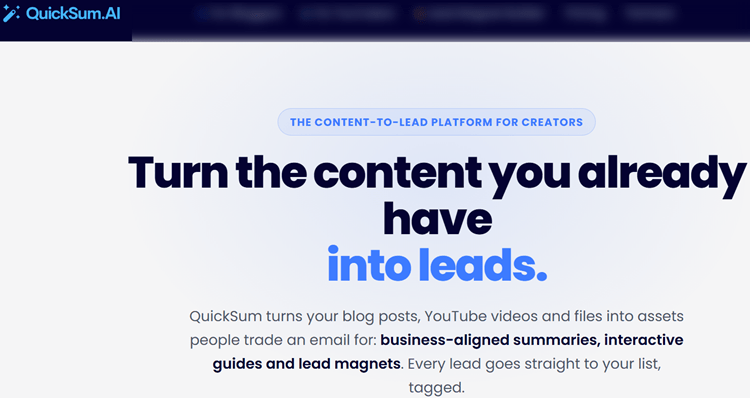
QuickSum AI turns existing blog posts and YouTube videos into contextual lead magnets.
It generates article-specific AI summaries or video guides, then offers them to readers and viewers in exchange for an email address.
This approach is different from a generic PDF or newsletter pop-up because the offer is directly connected to what the visitor is already consuming.
A reader who cannot finish a 20-minute article can request the key insights by email, while a YouTube viewer can receive a structured companion guide.
Standout Features:
- Lightweight widgets for WordPress, Wix, Squarespace, Webflow, Ghost, and other platforms.
- Triggers based on exit intent, time on page, scroll depth, and page-level targeting.
- Business-aligned prompts for content-specific summaries.
- Summary approval workflows, smart caching, multi-variant testing, and AI performance optimization.
- Direct integrations with Mailchimp, ActiveCampaign, HubSpot, Kit, beehiiv, Brevo, ConvertKit, and other email platforms.
- Webhooks for Make, Zapier, and n8n.
- UTM tracking, affiliate-tag preservation, per-post analytics, email reporting, and video-guide analytics.
User Experience:
Setup is designed to be relatively quick.
You connect your content and email systems, install the widget, review the generated summaries, and choose where and when the offer appears.
The approval step is particularly useful because it gives publishers control over accuracy, tone, affiliate links, and calls to action before anything reaches subscribers.
QuickSum AI is not a replacement for a full email marketing platform.
You will still need a CRM or email service provider for ongoing sequences, segmentation, and campaigns.
However, it can automate the most time-consuming part: creating a relevant lead magnet for each article or video.
Pricing and Additional Costs:
The early-bird monthly plan costs $99 per month, reduced from $124.
A lifetime plan costs $797 as a one-time payment, reduced from $997.
Both plans include a 30-day free trial, one website, one YouTube channel, five AI-powered widgets, 25,000 monthly embed page views, and unlimited lead captures.
QuickSum AI uses a bring-your-own-key model.
You supply a Claude or GPT API key for AI generation, and you may need SendGrid or Resend for delivery, with delivery costs listed at approximately $19.95 per month for up to 50,000 summaries or leads.
These third-party expenses should be included when calculating the real cost.
Pros:
- Creates the lead magnet from content you already published.
- Offers a natural, non-generic alternative to traditional pop-ups.
- Supports blogs and YouTube channels.
- Preserves UTM parameters and affiliate links.
- Includes CRM integrations, webhooks, and detailed content analytics.
Cons:
- BYOK requirements add setup work and third-party costs.
Best For:
QuickSum AI is best for bloggers, publishers, affiliates, educators, and YouTubers with substantial existing content.
It is particularly useful for businesses seeking a content-focused lead magnet generator that can scale across many articles without designing a new PDF for every topic.
Expert Opinion:
QuickSum AI is the most differentiated product in this comparison because it creates a contextual offer rather than simply displaying a capture form.
A reported case study shows monthly revenue increasing from approximately $21,000 to $36,000 and monthly subscribers rising from about 247 to 3,487, although results will vary by traffic, niche, offer quality, and implementation.
For publishers with long-form content, it is the strongest choice for turning existing traffic into leads.
For a company needing qualification, payment collection, or complex routing, one of the interactive platforms below may be more appropriate.
Get started with QuickSum AI.
2. Convertful
Best for Multi-Format Opt-In Campaigns.

What It Does:
Convertful is a flexible website conversion platform for creating pop-ups, floating bars, inline forms, scroll boxes, welcome mats, surveys, quizzes, and gamified campaigns.
Rather than generating a summary from an article, it helps marketers choose the right presentation and incentive for each audience.
You can use it to promote discounts, content upgrades, giveaways, surveys, quizzes, or segmented offers.
This makes it useful when you want to test several types of email capture software experiences across a website.
Standout Features:
- Drag-and-drop editor with templates.
- Exit-intent, scroll, time-on-page, device, and geographic targeting.
- Multi-step widgets, A/B testing, content locking, countdown timers, and dynamic text.
- Two-way CRM synchronization on eligible plans.
- Email integrations plus approximately 1,000 additional apps through Zapier.
- Analytics for campaign performance and visitor engagement.
User Experience:
The user experience is designed for marketers rather than developers.
Templates reduce the time needed to launch a campaign, while display rules allow you to control who sees an offer and when it appears.
Convertful is also suitable for agencies because higher plans support multiple sites and sub-accounts.
However, the platform’s page-view model requires careful monitoring.
If a campaign reaches its monthly limit, forms may stop appearing until the allowance resets or the account is upgraded.
Pricing:
The Solo plan starts at $7 per month when billed annually or $9 monthly.
Starter, Growth, and Enterprise plans increase based on page views, websites, integrations, and agency capabilities.
A 14-day free trial is available.
Pros:
- Supports a wide variety of opt-in formats.
- Strong behavioral targeting and personalization.
- Includes quizzes, surveys, content locking, and gamification.
- Offers A/B testing and CRM synchronization on higher plans.
Cons:
- Page-view limits can interrupt campaigns.
Best For:
Convertful is best for marketers who want one platform for pop-ups, forms, quizzes, surveys, discounts, and gamified campaigns.
It is a strong choice for small businesses and agencies that value format flexibility more than automated content production.
Expert Opinion:
Convertful is one of the most versatile options for conventional website lead capture.
It is less innovative than QuickSum AI for content-derived magnets, but it provides more ways to package and test an offer.
Choose Convertful if your strategy involves multiple campaigns and audience segments.
Choose a content-focused tool if you want the software to create a useful resource from your existing articles.
Get started with Convertful.
3. Heyflow
Best for Interactive Lead Qualification.

What It Does:
Heyflow creates interactive, mobile-friendly funnels for lead generation, qualification, applications, bookings, payments, product recommendations, and calculators.
Its main advantage is that it can ask questions, apply logic, validate information, and route users based on their answers.
That makes Heyflow more than a simple email capture widget.
It is designed for businesses that need to understand lead intent and quality before sending a prospect to sales.
Standout Features:
- Conditional logic and multi-step flows.
- AI-generated blocks and conversion-focused templates.
- Native CRM connections, webhooks, analytics, and advertising tracking.
- Phone validation, SMS OTP, partial submissions, and payment collection on eligible plans.
- A/B testing, custom JavaScript, advanced tracking, and industry benchmarking on higher plans.
User Experience:
The platform can be embedded on an existing website without extensive coding.
Users can begin with a template or describe the desired experience and use AI to generate initial blocks.
Heyflow is particularly effective on mobile because the journey is broken into manageable steps.
For example, a real estate business could ask about location, budget, and timeline before requesting contact details.
A service provider could use the answers to direct qualified prospects to a booking calendar.
Pricing:
The Starter plan costs $49 per month annually or $89 monthly and includes 50 responses per month and five funnels.
Growth costs $99 annually or $149 monthly, while Scale costs $249 annually or $299 monthly.
Enterprise plans begin at approximately $1,100 per month.
Plans use response quotas, and additional responses or feature bundles may create extra costs.
A free trial is available.
Pros:
- Excellent for qualification and conditional journeys.
- Supports quizzes, calculators, applications, bookings, and payments.
- Includes CRM, advertising, and webhook integrations.
- Strong mobile experience and AI-assisted setup.
Cons:
- Response, funnel, seat, and feature limits vary by plan.
Best For:
Heyflow is best for service businesses, recruiters, real estate companies, e-commerce brands, and appointment-based businesses.
It is the right choice when the lead magnet needs to qualify, score, route, or book leads instead of merely collecting email addresses.
Expert Opinion:
Heyflow is the strongest platform in this roundup for interactive lead qualification funnels.
It may be excessive for a blogger offering a simple downloadable resource, but its conditional logic can significantly improve lead quality where sales teams need more context.
Consider Heyflow when a quiz, assessment, calculator, or application is itself the lead magnet.
For a content publisher, QuickSum AI will usually require less maintenance.
Get started with Heyflow.
4. OptinMonster
Best for Behavior-Triggered Website Conversion.

What It Does:
OptinMonster helps websites convert visitors through pop-ups, floating bars, slide-ins, fullscreen campaigns, inline forms, and gamified campaigns.
Its primary strength is controlling when and where a campaign appears.
The platform can detect exit intent, scrolling, referral sources, device type, visitor history, geolocation, and page activity.
This makes it useful for recovering visitors who might otherwise leave without subscribing.
Standout Features:
- Large template library and no-code campaign builder.
- Exit-intent, scroll, time-on-site, page, referral, device, and location targeting.
- Content locking, scheduling, countdown timers, smart tags, and click-triggered campaigns.
- A/B testing, analytics, revenue attribution, webhooks, Zapier, and email integrations.
- E-commerce targeting for Shopify, WooCommerce, and other platforms on higher plans.
User Experience:
OptinMonster is straightforward for marketers who want to launch a campaign quickly.
Its template library reduces design work, while the display rules provide detailed control over visitor timing and context.
The platform does not usually create the lead magnet itself.
Instead, it helps you present an existing resource, discount, newsletter, or offer to the right visitor at the right moment.
This distinction is important when comparing it with AI-powered content tools.
Pricing:
The Basic plan costs $7 per month when billed annually.
Plus costs $19, Pro costs $29, and Growth costs $49 per month annually.
Pricing varies according to sites, impressions, integrations, and advanced targeting features.
Pros:
- Mature behavior-based targeting.
- Strong exit-intent and visitor-recovery features.
- Includes testing, attribution, and detailed campaign analytics.
- Works with blogs, stores, agencies, and major website platforms.
Cons:
- Automates delivery rather than creating a new content asset.
Best For:
OptinMonster is best for websites focused on behavior-triggered conversion optimization.
It is particularly useful for bloggers, e-commerce stores, and agencies that want to improve opt-ins using exit intent, page-level targeting, testing, and revenue attribution.
Expert Opinion:
OptinMonster remains a strong choice for marketers who already have lead magnets and need better delivery mechanics.
Its targeting depth is a major advantage, although businesses seeking a quieter content experience may prefer inline summaries or interactive tools.
Use OptinMonster when campaign timing is the main problem.
Use QuickSum AI when the missing ingredient is a relevant resource that gives visitors a reason to subscribe.
Get started with OptinMonster.
5. HubSpot
Best for CRM-Centered Lead-Magnet Operations.

What It Does:
HubSpot combines forms, landing pages, email campaigns, live chat, CRM records, segmentation, reporting, and workflow automation.
Rather than specializing in one lead-magnet format, it connects acquisition, nurturing, sales, service, and revenue reporting in one ecosystem.
This makes HubSpot a strong option for organizations that need CRM integration tools for marketing workflows and want every captured contact connected to a lifecycle stage.
Standout Features:
- Free CRM and basic marketing tools.
- Forms, landing pages, email campaigns, contact management, and workflows.
- CRM segmentation, live chat, ad management, analytics, and personalization.
- AI-powered data tools, marketing automation, attribution, and customer journey analytics on higher plans.
- Broad ecosystem for sales, service, content, and revenue operations.
User Experience:
HubSpot’s interface is relatively accessible for a platform with such a broad feature set.
The benefit is centralization: a form submission can create a contact record, trigger an email, assign a lifecycle stage, notify sales, and appear in campaign reporting.
The trade-off is complexity.
Small teams may use only a fraction of the available functionality, while larger teams may need onboarding, data governance, and dedicated administrators.
Pricing:
HubSpot offers free tools for basic lead capture.
Starter Marketing Hub begins at approximately $7 per month per seat annually or $10 monthly, with contact limits.
Professional starts at approximately $800 per month annually and includes required onboarding costs.
Enterprise begins at approximately $3,600 per month, while additional contacts, seats, credits, and onboarding can increase the total investment.
Pros:
- Connects lead magnets directly to CRM records.
- Supports segmentation, workflows, email, chat, and reporting.
- Offers a free starting point for basic campaigns.
- Strong for lifecycle management and attribution.
Cons:
- Advanced automation is expensive compared with specialist tools.
Best For:
HubSpot is best for marketing teams that need lead magnets connected to sales processes, lifecycle stages, reporting, and omnichannel campaigns.
It is especially suitable for organizations already using HubSpot as their central CRM.
Expert Opinion:
HubSpot is the most complete operational platform in this comparison, but it is not necessarily the best standalone lead-magnet tool.
Its greatest value appears after capture, when teams need to nurture, qualify, score, attribute, and report on contacts across the customer journey.
For a solo creator, a specialist tool paired with an existing email platform will usually be more economical.
For a growing revenue team, HubSpot can reduce fragmentation across the marketing stack.
Get started with HubSpot.
Category Breakdown: Which Tool Fits Which Use Case?
The products are deliberately differentiated rather than ranked by a single score.
Each addresses a different stage of the lead-magnet process.
- QuickSum AI: Best for content-derived lead magnets, including article summaries and YouTube video guides.
- Convertful: Best for multi-format opt-in campaigns, including forms, surveys, quizzes, and gamification.
- Heyflow: Best for interactive lead qualification, applications, calculators, and booking flows.
- OptinMonster: Best for behavior-triggered website conversion, exit intent, testing, and attribution.
- HubSpot Marketing Hub: Best for CRM-centered lead-magnet operations, lifecycle automation, and revenue reporting.
If you are researching broader AI-powered lead generation tools for small businesses, focus first on whether the platform is inbound or outbound.
QuickSum AI, Convertful, OptinMonster, and HubSpot primarily help convert existing traffic, while Heyflow improves the quality and routing of captured demand.
How to Choose the Right Automated Lead Magnet Tool

Start with the content format.
Choose QuickSum AI if you want to transform existing articles or videos into useful resources, Convertful or OptinMonster if you need flexible website campaigns, and Heyflow if the experience should be interactive.
Next, examine the post-capture process.
If leads should receive a simple summary, most email platforms will be sufficient.
If they need scoring, sales assignment, lifecycle segmentation, or multi-step follow-up, prioritize integrations with your CRM and email systems.
Do not compare subscription prices in isolation.
Include API keys, delivery costs, contacts, page views, impressions, responses, seats, onboarding, and additional feature bundles.
For example, QuickSum AI’s BYOK model can keep AI costs transparent, while HubSpot’s advanced plans can become substantially more expensive as contacts and users increase.
Finally, test the experience on mobile devices and high-traffic pages.
Track conversion rate by page, traffic source, device, trigger, and lead quality.
A campaign that produces fewer but better-qualified subscribers may be more valuable than one that simply generates the largest list.
Privacy should also be part of the evaluation.
Use clear consent language, explain what subscribers will receive, and review authoritative guidance such as direct marketing and consent requirements before launching campaigns in regulated markets.
How We Evaluated the Tools
A lead magnet platform should do more than display a form.
It should help you deliver a relevant offer, collect accurate information, connect the lead to your existing systems, and provide enough data to improve results over time.
We evaluated each product using the following criteria:
- Automation: Can it create, deliver, personalize, or optimize the lead magnet with minimal manual work?
- Lead-capture formats: Does it support summaries, pop-ups, forms, quizzes, interactive funnels, landing pages, or content locking?
- Targeting and personalization: Can campaigns respond to exit intent, scroll depth, page views, visitor history, conditional answers, or audience segments?
- Integrations: Does it connect with email service providers, CRMs, webhooks, analytics platforms, advertising tools, and website builders?
- Analytics and optimization: Can you monitor conversions, attribution, engagement, A/B tests, and post-capture performance?
- Ease of use: How quickly can a non-technical user create and publish a campaign?
- Pricing model: Are costs based on contacts, page views, impressions, responses, seats, API usage, or additional services?
We also considered whether each platform creates the lead magnet itself or simply automates delivery.
That distinction is important because a content-derived summary requires a different solution from a sales qualification funnel.
FAQ
What makes a lead magnet automated?
An automated lead magnet delivers value and captures contact information with minimal manual work.
It may generate the resource, display the offer based on behavior, send the asset by email, add the contact to a CRM, and trigger a follow-up sequence.
Is an AI-generated summary a good lead magnet?
It can be effective when it matches the page being read and provides immediate value.
It works particularly well for long-form articles and educational videos, but summaries should be reviewed for accuracy, tone, links, and alignment with the business goal.
Do these tools replace an email marketing platform?
Usually not.
Most tools capture or qualify a lead and then send the information to an existing email service provider or CRM.
QuickSum AI, for example, can connect with platforms such as Mailchimp, ActiveCampaign, HubSpot, Kit, Brevo, and others, while HubSpot provides a broader native marketing and CRM environment.
Which tool is best for a small blog?
QuickSum AI is a strong choice when the blog publishes substantial content and wants article-specific summaries or video guides.
OptinMonster or Convertful may be better when the main need is conventional pop-ups, inline forms, discounts, quizzes, or promotional campaigns.
Conclusion
The best automated lead magnet depends on where your biggest conversion gap exists.
If you need to turn existing articles and videos into useful, contextual resources, QuickSum AI is the clearest choice.
If you want a broad library of website campaigns, Convertful offers the most format flexibility, while OptinMonster provides deeper behavior-based targeting and attribution.
Heyflow is better suited to businesses that need qualification, scoring, booking, or interactive journeys.
HubSpot is the strongest option for teams that want every form submission connected to CRM records, lifecycle automation, sales activity, and revenue reporting.
Before committing, run a controlled test on a few high-traffic pages.
Compare conversion rate, lead quality, delivery performance, and downstream revenue rather than relying on signups alone.
Also check whether you need a separate transactional email delivery service for reliable sending.
For most content creators, the practical starting point is to match the tool to the asset you already have.
Try QuickSum AI’s 30-day trial on your best-performing posts, or test the alternatives against your existing funnel before expanding across the entire site.


