
Best Lead Capture Tools: 5 Picks for Marketers
Turn More Visitors Into Qualified Leads
Many website visitors leave without buying or converting.
That means even a well-designed website can lose most of its potential customers unless it gives visitors a timely, relevant reason to take the next step.
The best lead capture tools do far more than place an email form on a page.
They attract attention with the right format, present a useful conversion path, connect with your marketing stack, and provide enough data to improve results over time.
Some focus on popups and behavioral targeting, while others turn existing content into lead magnets, qualify contacts, or connect capture directly to a CRM.
This guide compares five leading platforms: LeadCapture, QuickSum AI, OptinMonster, Convertful, and HubSpot.
Each serves a different purpose, so there is no universal winner.
We evaluated capture formats, targeting, automation, integrations, analytics, pricing, ease of use, compliance, and scalability to help you choose the right platform for your traffic and sales process.
What Is the Best Lead Capture Tool?
Here are our team’s top picks for the best lead capture tool:
| Tool | Best for | Main capture formats |
|---|---|---|
| LeadCapture | Qualified, compliant, and routed leads | Pages, forms, funnels, quizzes, surveys |
| QuickSum AI | Content-driven lead capture | Content-summary widgets and video guides |
| OptinMonster | Behavioral targeting and revenue attribution | Popups, bars, slide-ins, inlines, welcome mats |
| Convertful | Interactive and gamified opt-ins | Popups, quizzes, surveys, bars, gamification |
| HubSpot | CRM-connected lead capture | Forms, landing pages, chat, email, ads |
The 5 Best Lead Capture Tools Compared
1. LeadCapture
Best for Qualified, Compliant, and Routed Leads.

LeadCapture is an all-in-one platform for building capture pages, forms, funnels, quizzes, and surveys, then verifying, scoring, enriching, and routing each lead.
Instead of treating every form submission as equally valuable, it helps marketers understand lead quality before contacts reach buyers, clients, or sales teams.
It is particularly well suited to performance marketers, lead-generation agencies, and regulated industries such as mortgage, insurance, solar, legal, and home services.
Teams that need a sophisticated lead qualification workflow can use the platform to connect acquisition data with downstream sales decisions.
Key Features:
- AI-assisted funnel and page builder with unlimited AI usage.
- Unlimited capture pages, funnels, quizzes, surveys, and A/B testing.
- Real-time email and phone verification.
- Contact scores from 0–100 based on validity, engagement, form completion, and related signals.
- Data enrichment, click-fraud detection, consent capture, and TCPA-focused compliance tools.
- Routing through webhooks, Zapier, LeadProsper, LeadByte, Phonexa, HighLevel, and other integrations.
- Conversion tracking for Meta, Meta CAPI, Google Ads, GA4, Google Tag Manager, ChatGPT Ads, and Everflow.
User Experience:
The platform is designed for users who need more than a simple embedded form.
Its AI Copilot can help generate copy, edit elements, and build funnel steps, while the visual builder keeps the workflow accessible to marketers who do not want to assemble multiple disconnected services.
Pricing:
The Starter plan begins at $159 per month when billed annually and includes 1,000 leads per month.
Core costs $319 per month annually for 10,000 leads, while Scale costs $559 per month annually for 25,000 leads.
Enterprise plans offer volume pricing, data API access, dedicated customer success, and white-glove onboarding.
Pros:
- Combines capture, verification, enrichment, compliance, and routing.
- No overage charges within the included lead allowance.
- Strong fit for agencies and high-value lead workflows.
- Includes a seven-day full-access trial and 60-day money-back guarantee.
Cons:
- More expensive for a basic newsletter form.
Best For:
LeadCapture is best for businesses that care about qualified, compliant, and routed leads rather than raw submission volume.
It is especially compelling when sales teams, buyers, or clients need verified information and clear consent records.
Expert Opinion:
LeadCapture is the strongest option in this roundup for performance lead generation.
Its main advantage is that capture and lead operations exist in one system, reducing the need to connect separate verification, enrichment, compliance, and routing tools.
Small sites may find the pricing excessive, but high-value verticals can justify the investment quickly.
Get started with LeadCapture.
2. QuickSum AI
Best for Content-Driven Lead Capture.
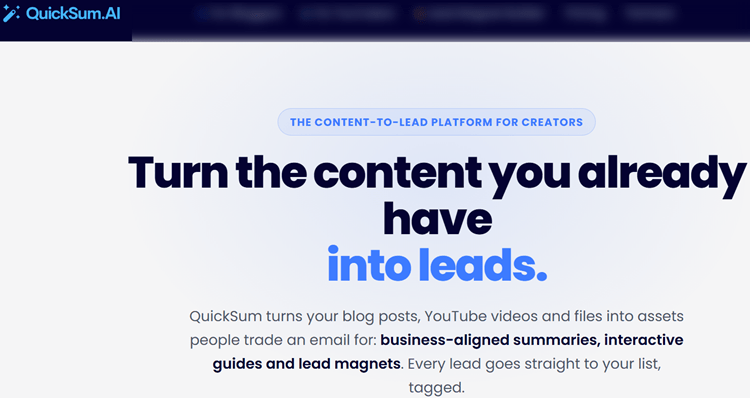
QuickSum AI turns existing blog posts and YouTube videos into relevant opt-ins.
It offers visitors an AI-generated article summary or video guide in exchange for an email address, creating a lead magnet generator experience that is directly connected to the content being consumed.
This approach is different from a generic “subscribe to our newsletter” popup.
A reader who is interested in a long article but short on time can request a concise summary, while a YouTube viewer can receive a useful written companion to a video.
The result is a more natural exchange of value.
Key Features:
- AI-powered summaries tailored to each article.
- AI video guides for YouTube content.
- Lightweight widgets for WordPress, Wix, Squarespace, Webflow, Ghost, and other platforms.
- Exit-intent, scroll-depth, time-on-page, and page-level triggers.
- Multi-variant testing, conversion analytics, UTM attribution, and content-specific reporting.
- Integrations with Mailchimp, ActiveCampaign, HubSpot, Kit, beehiiv, Brevo, ConvertKit, and many other email tools.
- Webhooks through Make, Zapier, and n8n.
User Experience:
Setup is designed to be lightweight, with widgets added through a script or Google Tag Manager.
QuickSum AI reviews content, generates a business-aligned summary, and lets the publisher approve or adjust it before delivery.
Its BYOK model gives users control over their AI and email infrastructure, although it also means they must supply the relevant API keys.
Pricing:
The early-bird monthly plan costs $99 per month, discounted from $124.
The early-bird lifetime plan costs $797 once, discounted from $997, and both options include a 30-day trial.
Users should budget separately for an AI API key and an email delivery provider such as SendGrid or Resend.
Pros:
- Offers immediate value instead of relying on a generic popup.
- Monetizes existing content without requiring a new PDF or course.
- Supports blog and YouTube lead generation.
- Lifetime pricing may appeal to long-term users.
Cons:
- Works best for websites with meaningful blog or video traffic.
Best For:
QuickSum AI is best for bloggers, publishers, affiliate sites, course creators, content marketers, and YouTube educators.
It is a strong choice for anyone exploring automated lead magnet delivery through content that already attracts an audience.
Expert Opinion:
QuickSum AI is one of the most differentiated products in this comparison because it makes the content itself part of the opt-in offer.
It will not replace a CRM or a full funnel builder, but it can give content-led businesses a less intrusive way to grow an email list.
Its value is highest when long-form content and existing traffic are already in place.
Get started with QuickSum AI.
3. OptinMonster
Best for Behavioral Targeting and Revenue Attribution.

OptinMonster is a mature onsite conversion platform focused on showing the right campaign to the right visitor at the right time.
It supports popups, floating bars, slide-ins, fullscreen campaigns, inline forms, and gamified experiences across almost any website platform.
The platform stands out for its detailed behavioral rules.
Marketers can target visitors according to device, location, referral source, cart activity, visit history, page behavior, and previous campaign interactions.
This makes it a strong choice for marketers interested in behavioral conversion optimization rather than displaying the same offer to everyone.
Key Features:
- Popups, floating bars, slide-ins, fullscreen campaigns, inline forms, and gamified campaigns.
- More than 700 customizable templates.
- Page, device, referral, location, visit-history, cart, and campaign-interaction targeting.
- Scroll, time-on-site, exit-intent, scheduling, and referrer triggers.
- A/B testing, smart tags, content locking, countdown timers, and follow-up campaigns.
- Revenue attribution, Google Analytics, Zapier, webhooks, Shopify, WooCommerce, HubSpot, and Klaviyo integrations.
User Experience:
OptinMonster uses a visual campaign builder and a large template library, making it accessible to marketers without development support.
The interface can become more complex as targeting rules grow, but that complexity is useful for agencies and ecommerce teams managing multiple segments and offers.
Pricing:
Basic begins at $7 per month when billed annually.
Plus costs $19 per month, Pro costs $29, and Growth costs $49.
Plans vary by site count, campaign impressions, and available features, so higher-traffic sites should review limits carefully.
Pros:
- Broad selection of campaign formats and targeting rules.
- Low-cost entry point for basic campaigns.
- Strong testing, reporting, and revenue attribution.
- Works with nearly any website platform.
Cons:
- Impression and site limits increase with plan level.
Best For:
OptinMonster is best for ecommerce stores, bloggers, creators, agencies, and small businesses that need targeted website campaigns.
It is especially suitable when exit intent, page-level relevance, testing, and revenue attribution are central to the strategy.
Expert Opinion:
OptinMonster remains one of the most complete choices for behavioral targeting.
Its primary strength is not lead qualification after submission, but improving the number and relevance of onsite conversions before visitors leave.
Pair it with a CRM or verification service if your sales process requires deeper lead-quality controls.
Get started with OptinMonster.
4. Convertful
Best for Interactive and Gamified Opt-Ins.

Convertful is a no-code conversion platform for building interactive widgets, quizzes, surveys, and promotional campaigns.
It gives marketers alternatives to standard forms through multi-step experiences, progress bars, spin-to-win campaigns, scratch cards, and coupon offers.
The platform is particularly appealing to small businesses and ecommerce brands that want to create a more engaging experience without hiring a designer or developer.
Its flexible widgets can be used as popups, floating bars, inline forms, scroll boxes, or welcome mats.
Key Features:
- Popups, floating bars, inline widgets, scroll boxes, and welcome mats.
- Multi-step forms, quizzes, surveys, yes/no screens, progress bars, and content locking.
- Spin-to-win, scratch cards, countdown timers, videos, testimonials, and coupon campaigns.
- Advanced targeting, exit intent, dynamic text, retargeting pixels, and A/B testing.
- Two-way CRM synchronization, webhooks, native integrations, and more than 1,000 Zapier connections.
- Live analytics, widget flow optimization, and mobile-friendly designs.
User Experience:
Convertful’s drag-and-drop editor is straightforward, and no coding is required for most campaigns.
Users can create a widget, select display rules, connect a marketing platform, and monitor results from the dashboard.
Its interactive features are easy to launch, although marketers should test gamification carefully to ensure that incentives attract valuable prospects rather than low-intent entries.
Pricing:
Solo starts at $7 per month annually for 10,000 pageviews.
Starter begins at $17, Growth at $47, and Enterprise at $97 per month on annual billing.
A 14-day trial is available, while higher tiers add more sites, sub-accounts, support, and pageview capacity.
Pros:
- Strong value for interactive campaigns and gamification.
- Unlimited widgets, leads, subscribers, and form fields.
- No-code editor and broad integration support.
- Agency and sub-account features on higher plans.
Cons:
- Widgets stop displaying when the monthly pageview limit is reached.
Best For:
Convertful is best for small businesses, ecommerce brands, marketers, and agencies seeking interactive and gamified opt-ins.
It is a practical option when quizzes, surveys, coupons, or progressive forms are more appropriate than a conventional email box.
Expert Opinion:
Convertful provides an unusually broad feature set at its entry price.
Its main advantage is engagement, not lead intelligence, so teams with complex compliance or routing requirements may need another platform alongside it.
For promotional campaigns and interactive list building, however, it offers excellent flexibility.
Get started with Convertful.
5. HubSpot
Best for CRM-Connected Lead Capture.

HubSpot combines lead capture with a CRM, email marketing, landing pages, live chat, automation, contact management, sales tools, and reporting.
Instead of treating a form submission as an isolated event, HubSpot stores the contact in a timeline that can include visits, conversions, emails, sales activity, and customer interactions.
This makes HubSpot a strong choice for businesses that need CRM integration tools built into their lead-generation workflow.
It is more than a capture widget, so the platform can be particularly valuable when marketing and sales teams need a shared view of the customer journey.
Key Features:
- Free forms, landing pages, live chat, contact management, and basic reporting.
- Email marketing, segmentation, workflows, ad management, personalization, and analytics.
- Contact timelines showing visits, conversions, and customer interactions.
- Marketing contacts, HubSpot Credits, AI agents, customer journey analytics, and attribution on higher plans.
- HubSpot Academy, knowledge base, community, and broad ecosystem integrations.
User Experience:
HubSpot offers a polished interface and extensive educational resources, including Academy courses and documentation.
The free tools make it possible to start with forms, landing pages, chat, and a CRM, although the broader platform can feel overwhelming for a small company that only needs one embedded form.
Pricing:
HubSpot offers a free plan with basic marketing, sales, service, content, data, and revenue tools.
Starter begins at $7 per seat monthly when billed annually, or $10 monthly.
Professional begins at $800 per month annually plus onboarding, while Enterprise starts at $3,600 per month.
Contact tiers, seats, credits, and onboarding can affect the total cost.
Pros:
- Combines capture, CRM, sales, service, and marketing.
- Free entry point for small teams.
- Strong contact records, automation, and reporting.
- Scales from basic forms to enterprise marketing operations.
Cons:
- Costs can rise with contacts, seats, credits, and advanced features.
Best For:
HubSpot is best for businesses that want CRM-connected lead capture and broader inbound marketing operations.
It is particularly suitable when forms, chat, email, sales workflows, reporting, and customer records need to work together.
Expert Opinion:
HubSpot’s free plan provides a credible starting point, but teams should model future contact and feature costs before committing to advanced tiers.
If the goal is simply to display a popup, a specialist tool will usually be faster and cheaper.
Get started with HubSpot.
Pricing and Category Breakdown
For budget-conscious marketers, OptinMonster and Convertful both begin at $7 per month when billed annually.
OptinMonster is the better low-cost choice for targeted campaigns, while Convertful offers more interactive and gamified functionality.
HubSpot’s free plan is the strongest no-cost option when a business also needs a basic CRM.
For specialized lead generation, QuickSum AI and LeadCapture serve very different needs.
QuickSum AI is designed for content-driven opt-ins, while LeadCapture is designed for verified, enriched, compliant, and routed leads.
For larger teams, HubSpot is best for broad marketing and CRM operations.
LeadCapture is better suited to agencies and performance marketers handling high-value or high-volume lead workflows.
Before choosing, compare not only the monthly fee but also pageview caps, lead allowances, contact tiers, credits, and integration costs.
Which Lead Capture Tool Should You Choose?

Choose LeadCapture if verification, enrichment, compliance, scoring, and lead routing are essential.
Choose QuickSum AI if your primary asset is blog or YouTube content and you want an opt-in that provides immediate value.
Choose OptinMonster for advanced targeting, exit intent, testing, and revenue attribution.
Choose Convertful for quizzes, surveys, gamification, and interactive campaigns.
Choose HubSpot if you want capture, CRM, automation, sales, and reporting inside one ecosystem.
A practical decision checklist includes:
- What type of traffic do you have: search, paid, ecommerce, blog, or video?
- Do you need a CRM or only a capture layer?
- Are leads verified before they reach sales?
- How are pricing limits calculated?
- Which integrations are essential?
- Do you need agency, compliance, or enterprise features?
- Are you measuring completed leads, qualified leads, or only form views?
For teams that rely on email delivery, the capture platform should also connect reliably to an email sender service.
This helps ensure that an opt-in becomes a delivered welcome email and a functioning nurture sequence rather than a contact stranded in a dashboard.
How We Evaluated the Best Lead Capture Tools
We looked first at capture capabilities, including forms, landing pages, popups, quizzes, surveys, content upgrades, and video-based experiences.
A platform should support the formats that match the way your audience discovers and consumes your content.
We also examined targeting and conversion optimization.
Exit intent, scroll and time triggers, personalization, page-level rules, and A/B testing can significantly affect conversion rates because they determine when and where an offer appears.
Lead quality and follow-up were equally important.
Verification, enrichment, scoring, segmentation, routing, CRM synchronization, and automation help ensure that a captured contact can actually move toward a sale.
This is where specialist platforms differ sharply from basic form builders.
Finally, we reviewed reporting, attribution, pricing, usage limits, ease of setup, and scalability.
The right choice depends on your acquisition channel, traffic volume, budget, and whether you need a standalone capture layer or a complete CRM.
Frequently Asked Questions
What is the best lead capture tool overall?
There is no universal winner because different platforms optimize different stages of the funnel.
LeadCapture is strongest for qualified and routed leads, OptinMonster is strongest for onsite conversion campaigns, and HubSpot is strongest for CRM-centered marketing.
What is the best free lead capture tool?
HubSpot’s free plan is the most complete free starting point because it combines forms and landing pages with a CRM, chat, contact management, and basic reporting.
Limits apply as contact volume, automation, credits, and reporting requirements grow.
Are popups still effective for lead capture?
Yes, when they are timed and targeted properly.
Exit intent, scroll triggers, page-level relevance, device rules, and A/B testing are generally more effective than showing the same intrusive message to every visitor.
What should I look for when comparing lead capture software?
Compare capture formats, targeting, integrations, analytics, lead-quality controls, compliance, pricing limits, ease of setup, and scalability.
Also check whether the platform supports your content-to-conversion strategy instead of forcing every visitor into the same form.
Conclusion: Pick the Tool That Matches Your Lead Flow
The best lead capture tools are not interchangeable.
LeadCapture is the strongest overall choice for performance lead generation because it combines capture with verification, scoring, enrichment, compliance, routing, and tracking.
QuickSum AI is the most distinctive option for bloggers and YouTubers who want to convert existing content into useful, relevant opt-ins.
OptinMonster is the best fit for targeted website campaigns, especially when behavioral rules and revenue attribution matter.
Convertful is ideal for interactive campaigns, quizzes, surveys, and gamification.
HubSpot is the best all-in-one platform for businesses that want lead capture connected to CRM records, sales workflows, automation, and reporting.
Start with the platform that matches your actual lead flow, not the longest feature list.
Use a free plan or trial where available, test the experience on real traffic, and measure completed or qualified leads—not just impressions and form views.
Before committing, compare pricing, limits, integrations, and reporting requirements, then choose the tool that can improve both conversion volume and lead quality.


