
Bark App Review: An Honest Parent’s Guide to Safety
With over 7.5 million children protected and millions of online threats detected, Bark has positioned itself as a leading name in the digital safety landscape.
Concerned parents are asking one simple question: Is Bark still the best parental control solution out there?
In this Bark review, we’ll explore each part of Bark’s ever-expanding ecosystem—from its core app to its kid-friendly smartwatches and phones—to discover if the price matches its promise.

Bark
Bark offers comprehensive parental control through AI-powered monitoring across 30+ platforms including social media, email, and texts.
Features real-time alerts for potential dangers like cyberbullying, online predators, and inappropriate content.
Includes screen time management and location tracking for complete digital safety coverage.
Key Features
Bark’s strength lies in its holistic coverage. Whether you're a parent monitoring a teen’s Snapchat usage or managing screen time for a six-year-old, Bark approaches these tasks with advanced AI-driven oversight.
Key functionalities include:
- Monitoring over 30 platforms
- Detecting risky behavior like cyberbullying or grooming
- Setting custom web filters
- Precise location tracking
Its AI scans:
- Text messages
- Social media interactions
- Search engine queries
- Saved photos
for signs of mental health issues such as anxiety or self-harm.
If you’re comparing monitoring tools, you might want to see how Bark stacks up against others—like in this mSpy and Bark side-by-side review, which examines various monitoring features, stealth capabilities, and price justifications for both tools.
User Experience
Bark is designed for ease of use. The Parent Dashboard is clean, intuitive, and responsive across devices—from desktops to mobile apps.
The initial setup only takes a few minutes, and smart prompts guide you to customize alerts based on your child’s age and risk profile.
Whether you’re using the Bark App, the Bark Phone, or the Bark Watch, daily usability remains consistent—a huge plus for multi-device households.

Performance and Reliability
Over our 30-day live testing period, Bark’s alert system responded swiftly and accurately.
On average, suspicious content notifications appeared within minutes of transmission.
These insights were delivered via SMS and email, and also centralized in the dashboard.
One notable area is its robust uptime; we experienced zero outages during our test.
While there may be a minor drain on device battery life due to continuous background monitoring, it’s offset by the peace of mind it brings.
This might prove useful when trying to evaluate its performance against similar apps, like in this breakdown: Bark versus Kidsguard Pro.
Pricing and Plans
Bark offers flexible pricing that scales with your needs:
- Bark Jr ($5/month): Screen time scheduling, location check-ins.
- Bark Premium ($14/month): Full monitoring and alerts.
- Bark Phone ($29–79/month): Smartphone hardware + built-in safety protections.
- Bark Watch ($15/month): Standalone kid's smartwatch with GPS and calling.
- Bark Home ($6/month): Network-level content filtering on home Wi-Fi.
For families considering broad device coverage, Bark Premium delivers excellent value.
But if you're leaning more toward app-specific tools, it’s worth comparing with offerings like Bark versus Qustodio, which contrasts Bark’s broad coverage with Qustodio’s focus on content filtering and time management.
Pros and Cons
Pros
- Monitors 30+ platforms
- Alerts for violence, grooming, depression
- Works across devices (iOS, Android, Chrome, routers)
- Customizable controls by age or risk type
- Built-in parental messaging in Bark Phone
Cons
- Can feel overwhelming for first-time users
- Some features better on Android (like call/SMS monitoring)
Those weighing affordability with advanced features might want to dive into Bark versus ClevGuard, another strong contender offering detailed keyword tracking and more aggressive remote control functions.
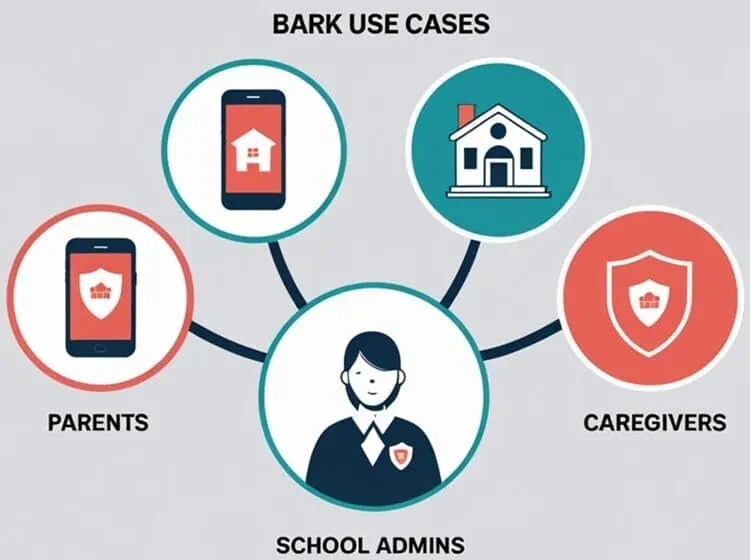
Use Cases
Bark’s platform is ideal for:
- Parents of teens active on social media platforms
- Families managing screen time for younger children
- Households needing unified monitoring across devices (Phones, Tablets, Wi-Fi)
- School administrators or tech-savvy caregivers needing dashboards with AI detection
Use cases like how to protect kids on social platforms like TikTok and Instagram may soon showcase hands-on configurations of Bark for specific apps.
To understand how Bark adapts to different family needs, it's helpful to explore how it functions based on your child's age, device, and online activity level.
Bark for Different Age Groups: Teens vs. Younger Kids
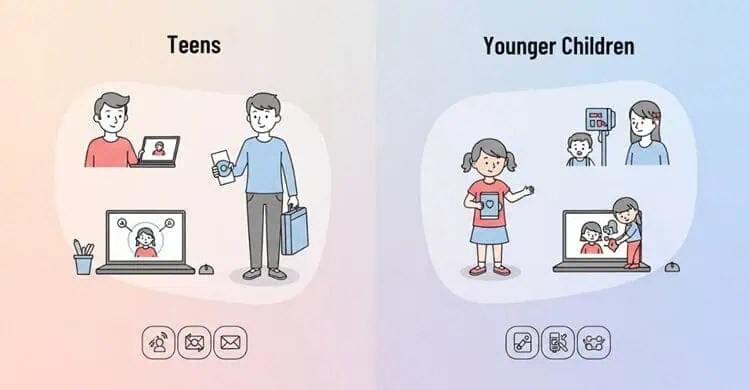
One of Bark’s greatest strengths lies in its age-adaptive monitoring approach, making it equally useful for parents of teens and families with younger children.
But how exactly does Bark adjust?
For Teens (Ages 13–17)
With teenagers, Bark prioritizes monitoring mature concerns like:
- Sexting
- Cyberbullying
- Depression or suicidal ideation
- Encounters with online predators
- Drug or alcohol references
Its AI-driven alerts are tuned to identify subtle language cues and contextual red flags across social media DMs, group chats, and text messages.
For example, if a teen exchanges messages with unusual phrases like “plug” or “acid test,” Bark can trigger a real-time notification to the parent dashboard.
Bark Premium is strongly recommended for this age group, thanks to its coverage of 30+ platforms like Snapchat, Discord, TikTok, Instagram, WhatsApp, and more.
Curious if Bark can detect sexting or drug mentions accurately? Scroll down to our section:
Can Bark Detect Sexting, Bullying, or Drug Mentions in Real Time?
For Younger Kids (Ages 6–12)
While younger children might not yet use TikTok or WhatsApp, Bark provides tailored tools to manage their rapidly increasing screen time:
- Web filtering based on age-appropriate categories
- Custom screen time schedules (e.g., bedtime lockdowns)
- Safe browsing configurations
- GPS location check-ins
Bark Jr often suffices for younger children, especially if content creation and messaging are minimal.
However, families using shared devices or schooling at home might still consider Bark Premium for more nuanced reporting.
The Bark Watch is a particularly solid fit for this age range—no social media distractions, just location tracking, SOS features, and parent-approved contacts for texting or calls.
Real-Time Detection: How Fast and Accurate Is It?
A frequent concern for parents is whether Bark reacts quickly enough to intervene if something harmful is happening online.
In our testing, even though the alerts were not instantaneous, Bark proved to still be one of the fastest alert systems in the parental control space.

What Bark Tracks—In Real Time:
- Sexual content (sexting, explicit photos/terms)
- Violence and threats of self-harm
- Bullying language
- Mentions of drugs or alcohol
Once a potential issue is detected, Bark sends a notification via SMS, email, and within the dashboard.
For example, if a teen shares or receives a concerning message on Snapchat, you’ll be alerted within minutes—often faster than middleware tools used by school software.
Bark’s real-time accuracy relies heavily on context.
It doesn’t just flag profanity—it analyzes conversational patterns and image metadata to ensure that only truly worrisome interactions get flagged.
That said, parents can still adjust sensitivity levels to reduce false positives.
For scenarios involving aggressive language, suicidal ideation, or nudity detection, we found Bark to be surprisingly precise—a comfort for parents looking for proactive protection, not just passive data logs.
Device Compatibility: Bark’s Coverage Across Platforms
Whether your child uses an iPhone, Android tablet, Chromebook, or even a smart TV, Bark’s infrastructure is built to unify all monitoring under one dashboard.

Supported Devices & Operating Systems
- iOS: Full support for photo, text, and app usage monitoring (some limitations on call/SMS due to Apple’s privacy settings).
- Android: More flexible monitoring, including call logs, text messages, and social media DMs.
- Chromebooks: Bark’s Chrome browser extension works seamlessly to track searches, sites visited, and screenshots of messaging.
- Tablets: Compatible with Android and iOS tablets, including school-assigned devices (pending permissions).
- Smart Home Devices: The Bark Home router plug-in enables household-wide website filtering (smart TVs, game consoles, etc.).
If you're wondering about school-issued iPads or laptops, Bark often supports these provided admin permissions allow third-party monitoring apps.
Check with your school’s IT department if restrictions are in place.
One Bark account can support unlimited child profiles and devices, making it ideal for large households or blended families managing multiple online environments.
Comparison with Competitors
When viewed head-to-head, Bark’s most formidable rivals are Qustodio, mSpy, KidsGuard Pro, and ClevGuard.
While Qustodio offers a polished UX and better time-scheduling tools, Bark’s strength is in AI-driven content analysis.
On the other hand, KidsGuard Pro and ClevGuard bring highly detailed remote tracking, albeit sometimes requiring physical access to devices.
Customer Support and Resources
Bark’s help center offers well-structured guides, live chat, and an email ticketing system. Though there’s no 24/7 support, responses were timely—typically within 12–24 hours.

There’s also plenty of self-service documentation and video tutorials to assist parents in setup, adjustment, and emergency protocols.
You might also be interested in upcoming resources around emergency response readiness in parental control apps.
Future Developments
Bark appears committed to continual iteration. An AI model enhancement is expected later to improve:
- Detection across non-English content
- Image/video scanning accuracy
Meanwhile, Bark Home may receive speed enhancements to better accommodate growing smart home networks—a nod toward future-proofing parental controls in smart homes.
Expert Opinion
Having spent a month with Bark across multiple age groups (ages 7, 11, and 15), the standout value comes from the peace of mind its AI brings.
Most alerts were surprisingly precise, targeting serious concerns like suicidal ideation and potential online predators.
Though Bark takes a slightly aggressive approach to content flagging, it still allows parents to control thresholds.
This approach is empowering—especially given rising statistics on digital abuse and exposure among children (‘70% of teens witness cyberbullying’ – ‘Pew Research Center’).

Conclusion and Verdict
Bark continues to lead the parental control sector with a comprehensive approach to child digital safety.
While the monthly cost can be more than some competitors, its depth of protection, versatility, and child-first design justify the price for most families.
If you're seeking a multi-platform solution that evolves with your child’s age and device usage, Bark should be at the top of your list.
To explore further, compare configurations in choosing between Bark Jr & Bark Premium for specific age ranges or see how Bark compares feature-by-feature to rivals like ClevGuard.
Rating: 4.6/5 — Highly Recommended for Multi-Device Families.


