
5 Best Internal Tool Builders Compared: Pricing, AI & Features
Internal software often begins as a spreadsheet, a collection of Slack messages, or a request waiting in an engineering backlog.
Teams may spend days coordinating access, reporting, approvals, and customer data when a focused application could solve the problem much faster.
Today, AI-native platforms are changing that equation by allowing founders, operators, analysts, and developers to describe what they need and generate a working tool with far less engineering effort.
This guide compares five leading platforms across AI capabilities, ease of use, pricing, integrations, security, deployment flexibility, and long-term scalability.
It also considers the difference between a visual app builder, an AI coding agent, and a governed low-code platform.
If you are researching a database application development tool or simply trying to identify the best internal tool builder for your team, the recommendations below will help you narrow the field.
Evaluation framework: Pricing analysis, product documentation, use-case mapping, and hands-on review criteria
What Is the Best Internal Tool Builder?
Here are our team’s top picks for the best internal tool builder:
| Use case | Top pick | Starting price |
|---|---|---|
| Best overall no-code builder | Base44 AI | Free / $16 per month |
| Best for AI coding agents | Verdent AI | Free trial / $19 per month |
| Best for developer-built tools | Retool | Free / $10 per builder monthly |
| Best for enterprise security | Superblocks | $100 per month annually |
| Best for code ownership | UI Bakery | Free / $20 per developer monthly |
The 5 Best Internal Tool Builders Compared
1. Base44 AI
Best for No-Code Internal Tool Building.

Base44 AI is designed for people who want to create functional software by describing it in ordinary language.
As part of Wix, the platform targets non-technical founders, operations teams, educators, and solopreneurs who need an application without assembling a traditional development stack.
It can generate the user interface, backend, authentication, data storage, permissions, and hosting from a conversational request.
Platform Overview:
- Best for: SaaS MVPs, backoffice tools, customer portals, and lightweight automation
- Starting price: Free plan, then Starter at $16 per month
- AI features: Natural-language app generation and Superagents
- Deployment: Cloud-hosted with an instant shareable URL
- Security: ISO 27001, SOC 2 Type II, and GDPR claims supplied by the company
Key Features:
Key features include unlimited apps and Superagents across paid plans, built-in integrations, workflows, custom domains, and in-app code editing on higher tiers.
Builder and above also add model selection and two-way GitHub synchronization, which gives developer-adjacent users a way to collaborate with generated applications.
Superagents can perform tasks such as tracking competitors, capturing leads from Gmail, preparing revenue summaries, organizing files, or creating recurring reports.
User Experience:
The user experience is Base44’s clearest advantage.
A first-time builder can start with a sentence such as “Create an inventory dashboard with login, stock alerts, supplier records, and manager permissions,” then refine the result through follow-up prompts.
That approach is considerably more approachable than configuring database schemas, APIs, authentication providers, and deployment pipelines manually.
Pricing:
Base44 has a free plan with a daily allowance of five messages and a monthly cap of 25 messages, plus integration credits.
The Starter plan costs $16 monthly and includes 100 message credits and 2,000 integration credits, while Builder costs $40 and adds custom domains, branding removal, workflows, model selection, and GitHub sync.
Higher plans range from $80 and $160 to expanded Elite tiers reaching $960 monthly, with an enterprise option for onboarding, training, priority support, account management, and additional controls.
Pros:
- Strongest natural-language-to-application experience for beginners
- Backend features such as authentication, storage, and permissions are built in
- Unlimited apps and collaborators on paid plans
- 50% education discount for eligible students and teachers
Cons:
- Unused credits expire at the end of the billing cycle
Best For:
Base44 is especially useful as a tool for solo founders who need to validate an idea quickly, as well as operations teams replacing manual spreadsheets.
It is also a practical choice for educators and students experimenting with app creation at a lower cost.
For more complex engineering work, however, teams may eventually need a platform with stronger code ownership or deployment controls.
Expert Opinion:
Base44 is the best starting point for non-technical users who value speed over infrastructure flexibility.
Its credit model deserves careful monitoring, but the ability to produce a hosted, functional application from plain language makes it the strongest overall no-code choice in this roundup.
Get started with Base44.
2. Verdent AI
Best for AI Coding Agents.

Verdent AI is an AI-native software engineering environment rather than a conventional drag-and-drop internal tool builder.
It is aimed at developers, technical founders, analysts, and growth teams who want an agent to plan, code, test, review, and improve real projects.
The platform works through a conversational interface, VS Code extension, and desktop application.
Platform Overview:
- Best for: Multi-file applications, data pipelines, refactoring, and autonomous engineering tasks
- Starting price: Seven-day trial with 100 credits, then $19 monthly
- AI features: Plan Mode, multi-agent workflows, model selection, Eco Mode, BYOK, and BYOA
- Deployment: Cloud-hosted, with VS Code and desktop access
- Team pricing: Teams plan at $20 per user monthly; enterprise pricing is custom
Key Features:
Verdent’s major differentiator is its ability to decompose a broad goal into smaller engineering tasks.
Plan Mode can establish priorities, acceptance criteria, and checkpoints before implementation begins, while parallel Tasks and Workspaces allow separate workstreams to progress without mixing changes.
Users can work with models such as Claude, GPT, Gemini, GLM, and Kimi, depending on the plan and availability.
User Experience:
The platform’s use cases demonstrate why it is more than a prompt-based code generator.
In one supplied example, Verdent helped rebuild a playable game in 12 hours by creating a 72-script framework, generating and quality-checking 21 sprites, identifying 52 issues, and refactoring a 1,601-line monolith into focused modules.
In another example, it turned a Google Ads data request into reusable scripts, automated validation, and an interactive dashboard, reducing a process that previously took days to minutes.
Pricing:
Verdent offers a free seven-day trial with 100 credits.
Starter costs $19 monthly and includes 480 credits with the stated limited-time bonus, while Pro costs $59 for 1,500 credits and Max costs $179 for 4,500 credits.
Eco Mode allows continued work with lower-cost models without consuming credits, while BYOK and BYOA let users connect their own model providers; top-ups are available separately and do not expire.
Pros:
- Excellent for complex, multi-file software projects
- Plan-code-test workflows reduce the need for manual project management
- Supports multiple models, BYOK, BYOA, and Eco Mode
- Slack and Telegram access supports long-running tasks away from the desk
Cons:
- Several usage modes require careful onboarding
Best For:
Verdent is the strongest choice for developers building sophisticated applications, technical founders working without a full engineering team, and analysts creating repeatable data pipelines.
It is also a useful option for teams researching AI coding agent workflows because it emphasizes planning and decision quality instead of simply generating snippets.
Expert Opinion:
Verdent is compelling when the project involves architecture, testing, refactoring, or long-running execution.
It should not be mistaken for a beginner-friendly visual app builder, but for technical users who want an AI engineering partner, its multi-agent approach offers unusual depth at the entry price.
Get started with Verdent AI.
3. Retool
Best for Developer-Built Internal Tools.
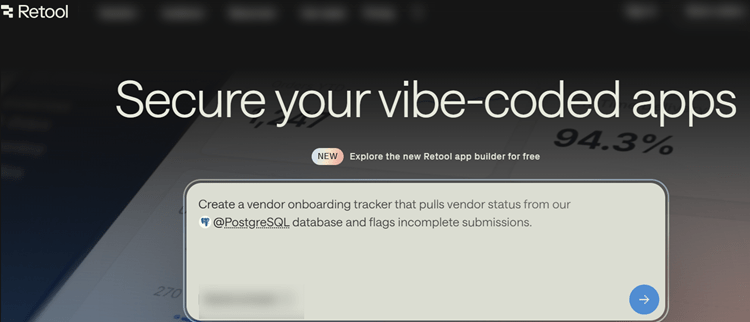
Retool is an established low-code platform for building dashboards, admin panels, portals, and operational applications over live databases and APIs.
Its audience is primarily developers and technical teams that want to ship internal software quickly without building every interface and permission layer from scratch.
The platform has also expanded into AI-assisted app generation, agents, and importing applications created with tools such as Lovable, Replit, and Claude.
Platform Overview:
- Best for: Production-connected dashboards, admin panels, and workflow automation
- Starting price: Free, then $10 per builder and $5 per internal user monthly when billed annually
- AI features: Prompt-to-app generation, Agents, AI credits, MCP server, and BYOK
- Deployment: Cloud, self-hosted, and air-gapped enterprise environments
- Integrations: More than 50 connectors
Key Features:
Retool connects directly to production data sources while inheriting configured permissions.
Developers can create forms, tables, charts, approval flows, and CRUD interfaces, then release applications through staging and production environments.
Its ability to import React code or applications generated elsewhere is especially relevant as “vibe coding” becomes more common.
User Experience:
The interface is powerful but assumes some technical familiarity.
Users can build visually, yet advanced logic often involves JavaScript, SQL, API configuration, or understanding data structures.
This makes Retool less suitable for someone creating their first application, but highly productive for an engineering team already comfortable with databases and APIs.
Pricing:
The free plan includes unlimited web and mobile apps, 500 workflow runs monthly, 5GB of database capacity, 5GB of file storage, up to five users, 20 agent hours, and AI credits.
Team pricing begins at $10 per builder and $5 per internal user annually, while Business costs $65 per builder and $18 per internal user annually.
Enterprise adds SSO, SCIM, audit log streaming, Git source control, Terraform, advanced roles, BYOK, monitoring, and air-gapped deployment.
Pros:
- Mature integration ecosystem and production data connectivity
- Useful free tier for early exploration
- Strong release, governance, and developer workflow features
- Supports self-hosted and air-gapped enterprise deployments
Cons:
- Advanced customization requires developer knowledge
- Builder and internal-user pricing can increase quickly
- Some governance features require the Business plan
- AI agents are billed by runtime rather than standard AI credits
Best For:
Retool is best for engineering teams building internal dashboard design patterns, administrative tools, data operations interfaces, and governed portals.
It is also a strong choice for companies that want to bring AI-generated prototypes into a controlled production environment.
Expert Opinion:
Retool remains one of the safest choices for developer-built internal applications because it balances speed, connectivity, and governance.
Its main weakness is accessibility for non-technical users and the possibility of rising per-seat costs as adoption expands.
4. Superblocks
Best for Enterprise Security and Governance.

Superblocks is built for organizations that need to create internal applications on private enterprise data while maintaining strict IT and security controls.
Its Clark AI agent can generate applications in natural language, but the platform’s real differentiator is governance.
The system is designed to respect existing permissions, protect secrets, and support deployment inside a company’s cloud environment.
Platform Overview:
- Best for: Regulated organizations, enterprise IT, and governed business applications
- Starting price: $100 monthly when billed annually, or $125 monthly
- AI features: Clark AI, Governed Agent Units, memory, and Smart Model Routing
- Deployment: Cloud, hybrid, and Cloud-Prem in AWS, Google Cloud, or Azure
- Security: SOC 2 Type II, HIPAA, RBAC, SSO, audit logs, and secrets management
Key Features:
Clark works with an organization’s knowledge graph, including data schemas, API documentation, integration configurations, and approved application patterns.
It operates within the builder’s existing permissions across systems such as Postgres, Snowflake, Salesforce, and Databricks.
That permission-aware model is important because it reduces the risk of an AI builder exposing data that the user was never authorized to access.
User Experience:
Superblocks can replace spreadsheet-driven processes, build customer portals, modernize operations, and productionize prototypes created in Claude, Lovable, or Replit.
IT administrators also receive visibility through the platform’s MCP capabilities, usage monitoring, permission auditing, security scans, and observability tools.
These controls make it more appropriate for organization-wide deployment than casual experimentation.
Pricing:
The Teams plan costs $100 monthly when billed annually and includes 100 Governed Agent Units, Clark AI, staging and production environments, more than 50 integrations, one hosted application, and up to 15 builders.
Enterprise pricing is custom and adds Git integrations, embedded apps, custom hosting, VPC deployment, SSO, RBAC, audit logs, dedicated support, and enterprise service commitments.
Pros:
- Strongest governance and security profile in this comparison
- VPC and Cloud-Prem deployment options
- Permission-aware AI over private enterprise data
- Useful for replacing spreadsheets and expensive SaaS tools
Cons:
- No free plan
- $100 monthly entry price may be excessive for small teams
- Advanced governance introduces additional complexity
- Best results usually require IT or developer involvement
Best For:
Superblocks is the natural fit for no-code tools for enterprise teams working with regulated information or strict internal policies.
Healthcare, financial services, and larger organizations that require HIPAA, RBAC, SSO, auditability, and private-cloud deployment should place it near the top of their shortlist.
Expert Opinion:
Superblocks justifies its premium pricing when deployment control and governance are non-negotiable.
It is not the best platform for a solo founder or quick personal project, but it is one of the most credible options for safely enabling business users inside a complex organization.
Get started with Superblocks.
5. UI Bakery
Best for Code Ownership and Portability.

UI Bakery occupies the space between no-code convenience and traditional development control.
It allows teams to build dashboards, workflows, inventory systems, invoice approval tools, CRM interfaces, and customer portals while retaining access to the underlying application.
Its standout feature is React code export, which gives organizations a practical exit path if their deployment or technology requirements change.
Platform Overview:
- Best for: Portable internal applications and no-code-to-code teams
- Starting price: Free, then $20 per developer monthly annually
- AI features: AI Development Agent and natural-language UI generation
- Deployment: Cloud, private cloud, Docker, on-premises, and air-gapped
- Integrations: More than 45 databases, APIs, and services
Key Features:
The platform includes connectors for PostgreSQL, MySQL, SQL Server, MongoDB, Stripe, HubSpot, and Google Sheets, as well as other services.
Teams can generate CRUD interfaces, connect live data, schedule synchronization jobs, import CSV files, and create role-based administrative experiences without building every component from the ground up.
Custom React components and direct code access provide additional flexibility when the visual builder reaches its limits.
User Experience:
The experience is accessible to operations users but remains comfortable for developers.
A user can begin with a natural-language request, then refine the interface visually or use code for more precise behavior.
Pricing:
UI Bakery’s free plan is unusually generous, offering unlimited apps and data-source connections, public and private apps, unlimited public users, release history, a hosted database, and community support.
The Builder plan costs $20 per developer monthly when billed annually and adds app export, environments, built-in roles, AI credits, and up to 50 workspace view seats.
The Team plan costs $35 per developer monthly annually and adds RBAC, audit logs, and premium support.
Pros:
- React code export supports long-term ownership and portability
- Self-hosting, Docker, on-premises, and air-gapped options
- Generous free plan with unlimited apps
- 45-plus connectors and strong database support
Cons:
- AI agent depth is less advanced than Verdent’s
- Per-developer pricing can grow for larger teams
- Smaller community footprint than Retool
- Enterprise features require a custom plan
Best For:
UI Bakery is best for organizations that want custom software solutions providers to have a faster starting point without surrendering code ownership.
It is also well suited to teams migrating from Airtable or Retool, building database-driven admin tools, or requiring affordable self-hosted deployment.
Expert Opinion:
UI Bakery is the most balanced option for buyers who want no-code speed today and developer independence tomorrow.
Its AI capabilities may not lead the category, but React export and deployment flexibility substantially reduce the long-term risk of platform lock-in.
Get started with UI Bakery.
Which Platform Should You Choose?
| If your priority is… | Choose… | Why |
|---|---|---|
| Building without coding | Base44 AI | Fast natural-language app generation and built-in backend features |
| Complex engineering tasks | Verdent AI | Multi-agent planning, testing, refactoring, and model flexibility |
| Live dashboards and admin tools | Retool | Mature integrations and developer-oriented governance |
| Enterprise security | Superblocks | VPC deployment, permission-aware AI, and compliance controls |
| Ownership and portability | UI Bakery | React export plus self-hosted and air-gapped options |
Pricing models also deserve attention before you commit.
Base44 and Verdent use credits, so estimate how frequently you will generate apps, call integrations, or run complex tasks.
Retool combines builder and internal-user pricing, while UI Bakery primarily charges per developer and Superblocks begins at a higher platform price designed for teams with more demanding governance needs.
For security-sensitive projects, do not evaluate certifications in isolation.
Ask where data and AI inference are processed, how permissions are inherited, whether audit logs are available, and whether the application can run inside your cloud environment.
Buyers creating AI-enabled applications may also benefit from reviewing NIST AI risk management guidance before approving production access to sensitive data.
Quick-Match Guide
Choose Base44 AI if you are a non-technical founder, operator, educator, or solopreneur who wants to describe an application and deploy it quickly.
Its strongest use cases include SaaS MVPs, backoffice tools, customer portals, and lightweight recurring automations.
Choose Verdent AI if the project involves multiple files, architecture decisions, data pipelines, automated tests, or large-scale refactoring.
It is especially appropriate for technical founders and developers who want an AI partner that can work through a project rather than only answer coding questions.
Choose Retool if developers need to connect an internal application directly to databases, APIs, and operational systems.
Its release environments, integrations, source control, and enterprise deployment options make it a strong production platform.
Choose Superblocks if your organization requires private-cloud deployment, strict permissions, auditability, and centralized IT oversight.
It is the best fit for regulated businesses and enterprises that want business teams to build without bypassing security controls.
Choose UI Bakery if you want visual development but do not want to be permanently dependent on a vendor.
Its React export, self-hosting options, and database connectors make it a practical middle ground between no-code convenience and full code ownership.
How We Evaluated These Platforms
The platforms were assessed against six practical buying criteria: AI capability, ease of use, pricing transparency, security, integrations, and scalability.
AI capability includes natural-language app generation, autonomous agents, multi-model support, and workflow automation.
Ease of use considers whether a non-technical operator can build independently or whether developers are needed for advanced work.
Pricing was reviewed across free tiers, entry plans, usage-based credits, per-seat charges, and enterprise pricing.
Security considerations include SOC 2, ISO 27001, GDPR, HIPAA, SSO, RBAC, audit logs, self-hosting, and private-cloud deployment.
The result is not a universal ranking, because the right platform depends heavily on your team’s technical ability, data sensitivity, and need for portability.
Comparison Table: Internal Tool Builders Compared
| Platform | Free option | Entry paid plan | Best for | Deployment |
|---|---|---|---|---|
| Base44 AI | 25 messages monthly | $16/month | First-time builders and SaaS MVPs | Cloud-hosted |
| Verdent AI | 7-day trial and 100 credits | $19/month | Complex AI-assisted engineering | Cloud, VS Code, desktop |
| Retool | Up to five users | $10/builder + $5/internal user monthly | Developer-built dashboards and admin tools | Cloud, self-hosted, air-gapped enterprise |
| Superblocks | No free plan | $100/month annually | Governed enterprise applications | Cloud, hybrid, Cloud-Prem |
| UI Bakery | Unlimited apps | $20/developer monthly annually | Portable, self-hosted internal apps | Cloud, Docker, on-prem, air-gapped |
The major difference is the level of control each tool provides.
Base44 AI prioritizes speed and accessibility, while Verdent AI focuses on software engineering tasks that involve architecture, testing, and multiple files.
Retool and Superblocks are stronger choices for production-connected enterprise applications, whereas UI Bakery stands out when code export and deployment independence matter.
Frequently Asked Questions
What is an internal tool builder?
An internal tool builder is a platform for creating applications used by employees, operators, analysts, or business partners.
Common examples include admin panels, inventory systems, approval workflows, reporting dashboards, customer portals, and CRM interfaces.
Many modern builders connect directly to databases and APIs so teams can work with current operational data.
Are no-code internal tool builders secure?
Security depends on the platform, configuration, and deployment model.
Look for RBAC, SSO, audit logs, encrypted secrets, SOC 2 or ISO certifications, data-region controls, and clear permission inheritance.
Superblocks, Retool Enterprise, and UI Bakery provide the strongest deployment and governance options in this comparison, while Base44 is more focused on accessible cloud deployment.
Which platform is best for non-technical users?
Base44 AI is the easiest starting point for users without development experience.
Its natural-language workflow can generate the frontend, backend, authentication, permissions, and hosting in one environment.
UI Bakery is another approachable choice when users need more database connectivity or eventual code export.
Are these tools suitable for production applications?
They can be, but production readiness depends on the application’s risk level and requirements.
Before launch, test authentication, authorization, data validation, backups, error handling, performance, and auditability.
High-risk applications should also go through the same security and compliance review used for conventionally developed software.

Conclusion
The best internal tool builder depends less on the number of features and more on the problem you need to solve.
Base44 AI leads for fast, no-code application creation, Verdent AI is strongest for complex AI-assisted engineering, and Retool remains a dependable choice for developers working with production data.
Superblocks is the clear enterprise governance pick, while UI Bakery offers the best combination of visual development, portability, and code ownership.
Start by identifying who will build the tool, what systems it must connect to, how sensitive the data is, and whether you need to host the application yourself.
Then compare the total cost of credits, builders, internal users, support, deployment, and future migration rather than looking only at the advertised starting price.
A free plan or trial is valuable, but a short pilot using a real workflow will reveal far more than a feature checklist.
➡️ Compare plans and start a free trial with the platform that best matches your team’s technical skills, security requirements, and long-term ownership goals.


